Posts

Lucene and fts-search

var luceneQuery = "@somecomodel\\:"+verifyKey+":"+verifyId; //e.g var luceneQuery = "@somecomodel\\:batchName:ratik; var result = search.luceneSearch(luceneQuery); =================================================== String query =  "PATH:\"/app:company_home/app:dictionary/app:space_templates/cm:"+templateName+"/cm:\""; ResultSet rs = searchService.query(StoreRef.STORE_REF_WORKSPACE_SPACESSTORE,  SearchService.LANGUAGE_LUCENE,query); childList = rs.getChildAssocRefs(); =================================================== String BASE_QUERY = "PATH:\"/app:company_home/st:sites/*\" AND TYPE:\"" + SiteModel.TYPE_SITE + "\" AND @" + SomeCoModel.PREFIX_CONTENT + "\\:" +  SomeCoModel.PROP_PROJECT_NUMBER.getLocalName() + ":\"" +PROJECT_NUMBER + "\""; ResultSet resultSet = searchService.query(StoreRef.STORE_REF_WORKSPACE_SPACESSTORE, S...
Call javascript webscript from contoller

1. Create file at location -  /source/web/components/documentlibrary/any-action.js var nodeRef = record.node.linkedNode.nodeRef.replace(":/", ""); var me = this; Alfresco.util.Ajax.request( { url: Alfresco.constants.PROXY_URI + "api/extensions/getPath/" + nodeRef, method: Alfresco.util.Ajax.GET, requestContentType: Alfresco.util.Ajax.JSON, successCallback:{ fn: function changePath(response)             { if (response.json !== undefined) { var json = response.json; var displayPath = json.displayPath; var nodeRef = record.node.linkedNode.nodeRef; var name = record.node.linkedNode.properties["cm:name"]; var pathInfo = displayPath.match("\/Sites\/([^\/]*)\/");                  } }, scope: me             }  }); 2.  Create file a...

Install Alfresco Content Service 6.0 on ubuntu 16 using distribution zip

Image
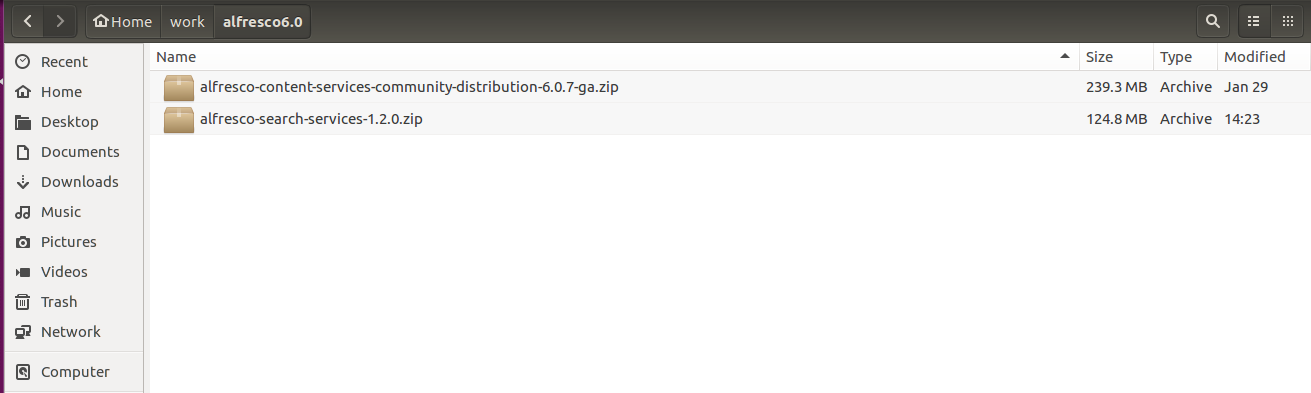
Download installation in a dir ‘ ALF_INSTALL_DIR’ Alfresco Content ServicesDistribution (alfresco-content-services-distribution-6.0.x.zip Alfresco Search ServicesDistribution (alfresco-search-services-1.3.x.zip) Alfresco File Transfer Receiver (Optional) apache-tomcat-8.5.28.tar.gz Extract installations Rename (optional) alfresco-content-services-community-distribution-6.0.7-ga to ‘acs’ Apache-tomcat-8.5.28 to ‘tomcat’ Move ‘tomcat’ folder to ‘ALF_INSTALL_DIR/acs’ folder Move ‘alfresco-search-services’ folder to ‘ALF_INSTALL_DIR/acs’ folder Create ‘amps_share’ directory under ‘ALF_INSTALL_DIR/acs’ Follow Steps 2 to 8 from here http://docs.alfresco.com/community/tasks/configfiles-change-path.html Move ‘conf’ directory from ‘ALF_INSTALL_DIR/acs/web-server/’ to ‘ALF_INSTALL_DIR/acs/tomcat’ Move ‘lib’ directory from ‘ALF_INSTALL_DIR/acs/web-server/’ to ‘ALF_INSTALL_DIR/acs/tomcat’ Move ‘shared’ directory from ‘ALF_INSTALL_DIR/acs/w...

How to make Singleton object- Thread access two singleton object

One point which is worth remembering is that, when we talk about thread-safe Singleton, we are talking about thread-safety during instance creation of Singleton class and not when we call any method of Singleton class. If your Singleton class maintain any state and contains method to modify that state, you need to write code to avoid and thread-safety and synchronization issues. Example 1 Following implementation shows a Singleton design pattern. Singleton class employs a technique known as lazy instantiation to create the singleton; as a result, the singleton instance is not created until the getInstance() method is called for the first time. public class Singleton {    private static Singleton _instance = null;         private Singleton() {}         public static Singleton getInstance() {        if (_instance == null) {    ...